Wake up to a three-minute brief instead of a feed. Then tap Start my day — and oneTap hard-blocks your distracting apps so you actually get up and get going.
Phone time before you get out of bed
Same information. One fortieth of the time.
Four steps, every morning. The whole thing takes about three minutes.
A notification lands at your wake-up time. Nothing to hunt for — the brief is already built.
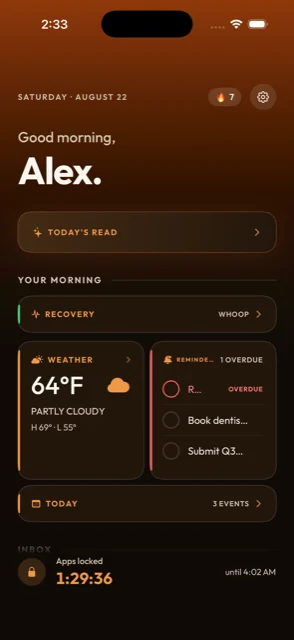
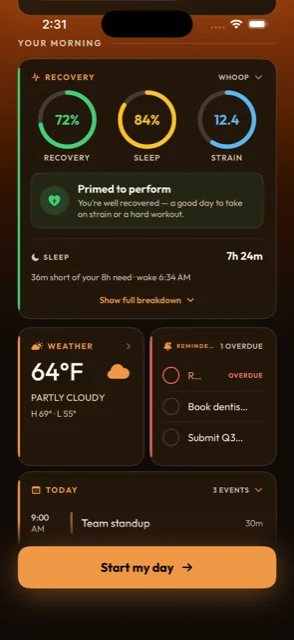
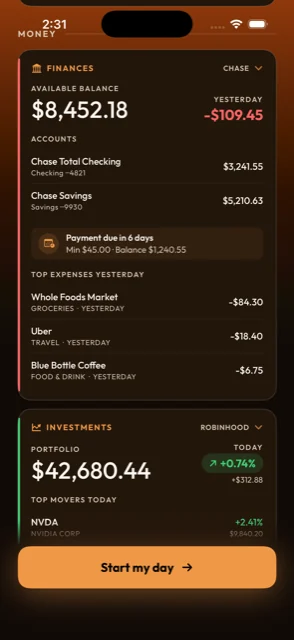
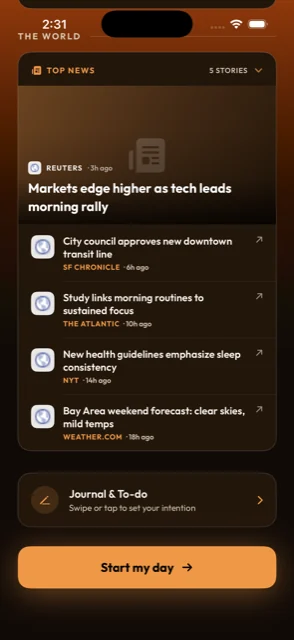
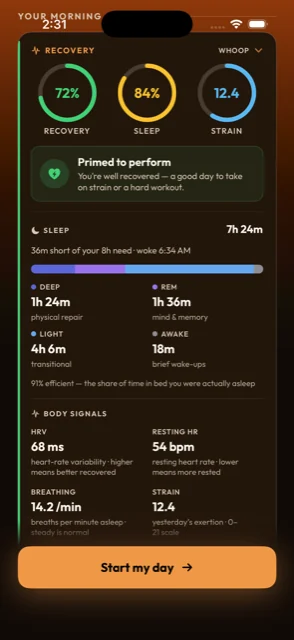
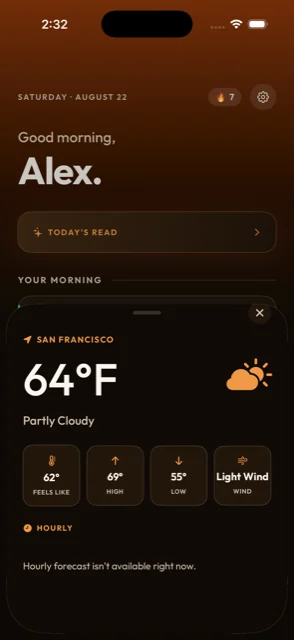
Recovery, sleep, weather, today's calendar, the emails that matter, your balances and five headlines. One screen.
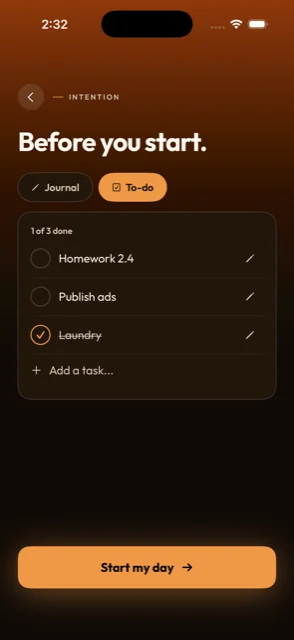
Set the day's short list and a line of intention, then hit the button once.
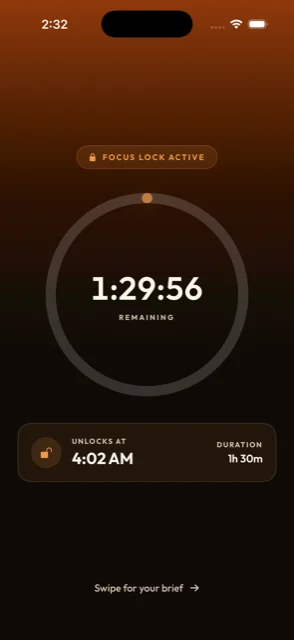
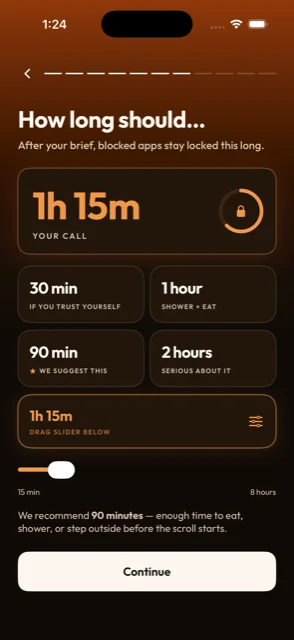
Your chosen apps hard-block for the window you set — 90 minutes by default — so you're up and moving. They reopen on their own.
Five apps' worth of morning check-in, collapsed into one screen you finish before you're out of bed.
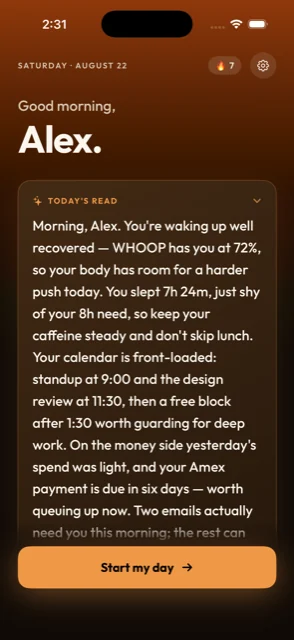
A plain-English summary of your morning — what your body's up for, what your calendar demands, what actually needs a reply. Written fresh each day from your own data.

WHOOP and Oura recovery, how you actually slept, today's forecast, what's overdue and what's on the calendar — stacked in the order you need them.

Once you start your day, the apps you picked are shut for the full window. No Face ID prompt, no "one more minute," no getting around it by moving the icon. The timer runs down and they come back on their own.

Long enough to eat, shower and get out the door before the scroll starts. Set anything from 15 minutes to 8 hours.
Connect what you want — 8 sources, all included
Most people have already tried to fix their mornings with Screen Time or an app blocker, and gone back to scrolling within a week. There are two reasons it doesn't hold.
| Screen Time | Most blockers | oneTap | |
|---|---|---|---|
| Blocks the apps you choose | |||
| Survives a passcode or Face ID override | Varies | ||
| Starts on its own when you wake up | Schedule | Schedule | |
| Gives you something back for the time | |||
| Pulls in calendar, inbox, money and recovery | |||
| Ends by itself when the timer runs out |
The first reason is the override. Screen Time asks you to stop — then hands you "One more minute," "Ignore for today," or a passcode prompt you know by heart. A limit you can wave away in one tap is a suggestion, not a limit. The second reason is that blocking on its own leaves a hole. You still need to know what today looks like, so you unblock to check one thing and the morning is gone. oneTap gives you the brief first, then closes the door behind it.
I had a hard time jumping into my day because of doomscrolling and watching TV. Deleting the apps didn't work because I would just redownload them. The Screen Time feature Apple provides is a fake firewall that doesn't fully prevent you from getting into addicting apps.
oneTap is perfect because it let me find a balance between the two. Now I can effectively regulate my guilty pleasure of doomscrolling. Seriously changed the game.
Been using oneTap for a few weeks now and it's genuinely changed how I start my day. Instead of reaching for my phone and getting sucked into fifteen different apps before I'm even out of bed, I get one clean brief and then my apps stay locked until I'm actually ready.
Simple idea, but it works way better than any other "digital detox" app I've tried — because it doesn't just nag you, it gives you something better to do first.
This is literally everything I needed all in one. I can get so much time back, get briefings, and be more productive.
7 days free with full access. Every connection and every feature is in one plan — there's no tier to climb.
Pick how long your apps stay dark after you start your day. 15 minutes to 8 hours — 90 is the sweet spot.
It sends you a brief when you wake up — recovery and sleep, today's calendar, the emails that matter, weather, your balances and five headlines, all on one screen. You read it in about three minutes and set a short list for the day.
Then you tap Start my day, and the apps you picked as distractions are blocked for the window you chose. That's the point: the brief gets you oriented, and the block gets you out of bed instead of back into the feed.
Screen Time is a soft limit. When it fires you can tap "One more minute," or "Ignore for today," or just enter your passcode or Face ID and keep scrolling. It asks you to stop; it doesn't stop you.
oneTap is a hard block — once your window starts, the app doesn't open, and there's no one-tap way around it.
The other half matters just as much: Screen Time takes something away and leaves you with nothing. oneTap hands you the brief first, so you start the day informed instead of just blocked.
Yes. Phone, Messages, Maps and anything you haven't explicitly picked stay open the whole time. Nothing is blocked by default — you choose every app on the list, or a whole category like Social.
Nothing in your brief is visible to us. Not the developers, not the team — your brief is assembled and stays on your phone. There's no dashboard on our end where anyone can read your inbox, your balances or your calendar.
Access is read-only by design, not just by policy. Gmail and Calendar connect with read-only scopes, so oneTap physically cannot send, delete or change anything. Banking runs through Plaid — the same infrastructure Venmo and Robinhood use — and can see balances and transactions but has no ability to move money.
We don't sell data and we don't use it for advertising. Full detail in the Privacy Policy.
Any app on your phone, individually or by category. Most people pick the four or five that actually own their mornings — TikTok, Instagram, X, YouTube, Reddit — or block the whole Social category in one go.
oneTap shows you your real first-pickup counts for the last seven days, so you're choosing from what you actually open first, not what you think you open first. Nothing is on the list until you put it there.
No. Every source is optional, and the brief rebuilds itself around whatever you've connected. A brief with just weather, calendar and mail is still a brief worth reading.
If you don't wear a tracker, Apple Health still covers sleep from your phone or watch. And if you'd rather not connect your bank, skip it — the block works exactly the same either way.
7 days free with full access, then $7.99/month or $59.99/year. One plan, every feature — cancel any time from your Apple ID subscription settings.
More detail on the full FAQ →
Set up your brief in two minutes tonight. Wake up to something that actually gets you moving.
Download on the App StoreiPhone · 7 days free · Cancel anytime